
CRM Automation for Distributors: How Workflow Automation Helps CRM
CRM success in distribution hinges on customization. Without it, even the most popular CRM platforms fall short—unable to support reorder cycles, dynamic pricing, service triggers, or coordinated inside and outside sales efforts.
In this article, we look at how workflow automation fixes these issues. We also discuss the steps to roll out automation without overwhelming reps, and which metrics confirm that automation is improving visibility, account coverage, and revenue outcomes.
Why CRM Automation Matters for Distributors
Only 57% of reps meet their annual sales targets, largely due to the volume of manual tasks that slow down follow-up and stall real opportunities[1]. Distributors feel that gap as high-volume reorders, field activity, and service demands leave no margin for delays.
The unique operational & sales-workflow challenges in distribution (field reps, inside sales, service teams, reorders)
Field reps handle route visits and reorder checks, inside sales manages quotes and pricing exceptions, and service teams log issues that often trigger follow-up from sales. And these touchpoints happen simultaneously across different systems.
Reorders add more unpredictability. Factors like shifting demand, variable contract pricing, and complex multi-location delivery requirements change weekly, and the lack of clear ERP-driven visibility compounds this. It’s no surprise that 75% of reps work extra hours with high operational load and disconnected workflows[2]
How manual tasks and follow-up delays hamper distributor growth and CRM adoption
| Image idea:
|
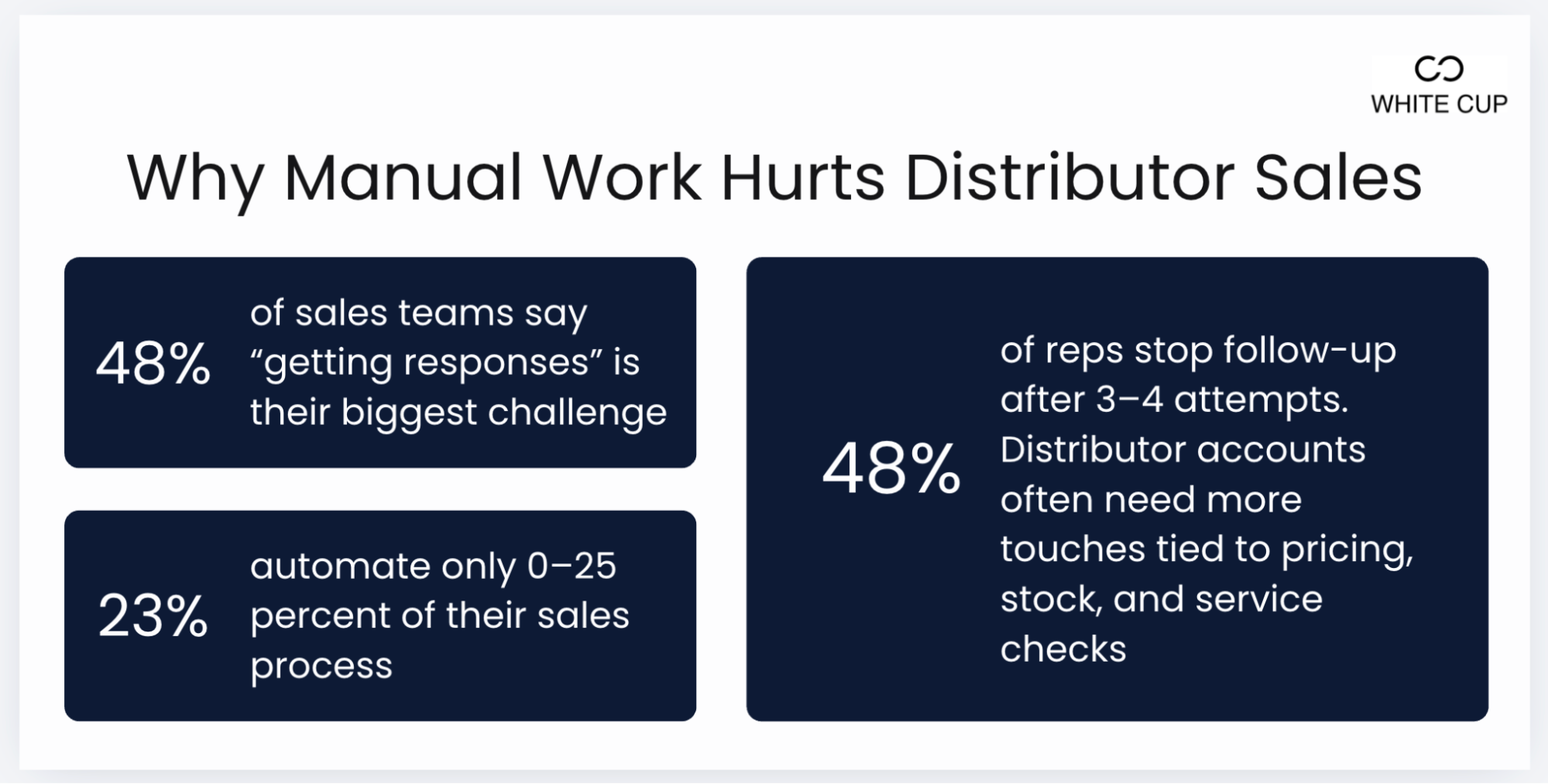
48 % of sales teams cite “getting responses” as their biggest challenge, and that problem only grows when reps are stuck manually entering notes, updating quotes, or re-checking ERP numbers instead of following up[3].
Most reps stop after 3–4 attempts, even though distributor accounts often require multiple touches tied to pricing checks, stock status, and service issues[3]. When those steps take longer, reps move the conversation outside the CRM, and the system stops reflecting what’s actually happening with the account.
And 23% of teams automate only 0–25% of their sales process, which means most of the repetitive work is still manual[3]. For distributors, that directly limits growth: orders take longer to close, service issues take longer to resolve, and the CRM never becomes the place where work moves.
What “CRM automation” really means in the distribution context
In distribution, CRM automation pushes follow-up based on real ERP triggers, not just on email sequence interactions. When a customer’s buying cycle is due, when pricing or contract terms change, when inventory shifts, or when an account hasn’t ordered within its normal cadence, the CRM creates the task, assigns it to the right rep, and loads the exact products and context needed.
Let’s look at how automation removes manual work, keeps activity consistent, and gives leaders accurate data.
Key Workflow Automation Use Cases for Distribution Sales Teams
The following use cases show where automation delivers the fastest lift in activity, accuracy, and revenue.
Automating follow-up & next-best-action prompts after an order or service event
All-purpose CRMs rarely give distributors the financial history or operational context needed to trigger the right follow-up. Nearly 56% of sales professionals expect automation and AI in CRM, to avoid manual follow-ups that are slow and inconsistent.
The moment an order ships or a service ticket closes, CRM should take over and trigger the next action automatically, whether that means checking the customer’s buying cycle, suggesting related SKUs, or flagging a delay that could affect the next order.
You need a CRM that’s built for distributors. With White Cup CRM + BI, AI-driven tools make those signals actionable:
- Buying Cycle Insights notifies reps when a customer is due for a reorder or when they fall outside their normal buying pattern
- StockSense flags surplus inventory and builds targeted buyer lists so teams can move product before margins erode
- Supplier scorecards highlight delivery delays in real time so reps can resolve issues before they affect customer orders
Triggering cross-sell/upsell alerts based on customer purchase patterns, margin erosion or service calls
Reps can’t scan every account for shifts in buying patterns, margin drops, or service-driven needs. Those signals only work when the system catches them first and routes a clear prompt to the right person.
That’s where White Cup CRM + BI gives you the edge.
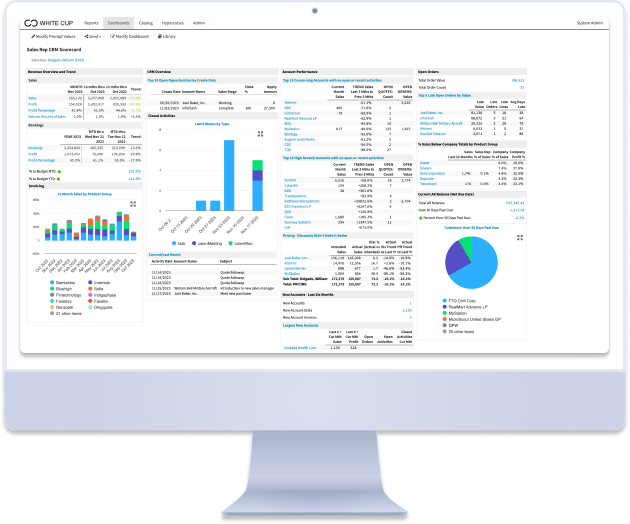
White Cup CRM automates lead routing, built-in follow-up prompts, and sales activity tracking so reps stay focused on qualified opportunities.
White Cup CRM + BI brings the full picture together with 40+ pre-built dashboards, customer and product scorecards, 1,100+ ready-made reports, and real-time coaching tools.
Managers and leaders can see customer behavior, product performance, margin trends, vendor performance, and rep execution in one place. They know which cross-sell motions convert, which reps act on opportunities, and where revenue is leaking.
Stop guessing which customers to prioritize. Our free Customer Scorecard Template gives your sales team a simple, repeatable framework for scoring accounts based on the metrics that actually matter — so reps focus their time where it drives the most revenue.
How to Implement CRM Automation: A Step-by-Step Guide for Distributors
Implementing automation only works when it’s structured. Here’s how you can roll it out so reps trust it and the system delivers measurable impact.
Step 1: Map your current manual workflows and identify automation opportunities (focus on high-value delays)
Start by listing every manual touchpoint reps handle today, including order follow-ups, service callbacks, reorder checks, account reviews, quote reminders, and internal handoffs. Identify where delays occur and which steps directly affect revenue or customer retention. Prioritize workflows tied to reorder cycles, ticket closures, inactive accounts, and customer issues that require timely action. Start with a small number of these high-impact workflows before expanding. These become your automation candidates.
Step 2: Choose and configure automation rules and triggers that align with distributor sales lifecycle (order date, service event, margin drop)
Configure automation around real operational data, not generic CRM events. Triggers should include shipped orders, missed reorders, service ticket closures, open quotes, margin changes, and product availability updates. Build rules that assign ownership, create tasks, notify reps, or launch follow-up sequences tied to those events. This keeps workflows aligned with how distributors sell, service, and retain accounts.
Step 3: Monitor and iterate: measure automation adoption, workflow time saved, sales impact, and refine continuously
Track whether reps act on automated tasks, how much time is saved on repetitive work, and whether follow-up consistency improves. Measure changes in reorder timing, quote conversions, account coverage, and margin protection. Remove steps that add noise, tighten rules that generate value, and expand automation where adoption is strong. Continuous iteration ensures automation stays aligned with sales behavior and business priorities.
Best Practices & Design Principles for Distributor CRM Automation
These principles keep workflows usable, accurate, and tied to revenue outcomes:
- Keep workflows lean and rep-centric. Automate the steps that remove manual work and eliminate alerts or tasks reps won’t act on
- Build every trigger on clean ERP and CRM data. Ensure your order dates, ticket closures, margin changes, and SKU history are accurate and updated
- Assign clear ownership to every automated task. Make sure each workflow hands off to a specific rep, ISR, or manager, so actions never float without accountability
- Tie automation to measurable revenue KPIs. Track cross-sell lift, reorder consistency, quote-to-close speed, and retention so you can refine workflows based on actual impact
Pitfalls to Avoid When Automating CRM Workflows in Distribution
Ensure a smooth automation rollout by avoiding the following pitfalls:
- Over-automating before the team is ready. If reps get flooded with tasks and alerts on day one, they’ll stop trusting the system. Start with a few high-value workflows and scale after usage is consistent.
- Ignoring distributor-specific roles and sales–operations handoffs. Generic workflows don’t work in environments where inside sales, field reps, service, and purchasing all touch the same account. Each workflow needs role clarity and correct routing.
- Automating on top of bad or incomplete data. Dirty ERP data, duplicated accounts, and disconnected systems trigger the wrong tasks at the wrong time. Fix data rules and integrations first, or automation will create more work.
Conclusion: How Automation Turns Your CRM into a Revenue Engine
When teams reduce manual work, increase visibility, and align sales, marketing, and service hand-offs, they’re 3x more likely to report significant revenue growth[4]. CRM automation gives distributors the structure to achieve this by removing the repetitive steps that slow reps down and making account signals easier to act on.
The first step is to pick a small number of manual workflows that consistently delay follow-up. Map how each workflow currently works, identify where time is wasted, and convert those steps into automated triggers tied to customer activity such as order dates, margin changes, or upcoming service needs. Finally, launch those workflows with a single team.
Success should be measured through outcomes that show whether automation is lifting revenue activity. Track time saved for reps, the share of follow-ups completed on time, the number of opportunities created from alerts, and the volume of repeat orders you retain through timely outreach.
When these indicators move in the right direction, your CRM becomes a driver of pipeline and retention.

Sources:
- HubSpot, State of Marketing Report 2025. https://www.hubspot.com/state-of-marketing
- Pipedrive, State of Sales and Marketing Report 2025. https://www.pipedrive.com/en/state-of-sales-and-marketing-2025
- Salesmate, State of Sales & CRM 2025: Key Insights & Trends https://www.salesmate.io/resources/state-of-sales-and-crm/
- Insightly + Ascend2, Right-sizing your CRM Report 2025 https://insightly.com/right-sizing-your-crm-report-thanks/
Written By
